


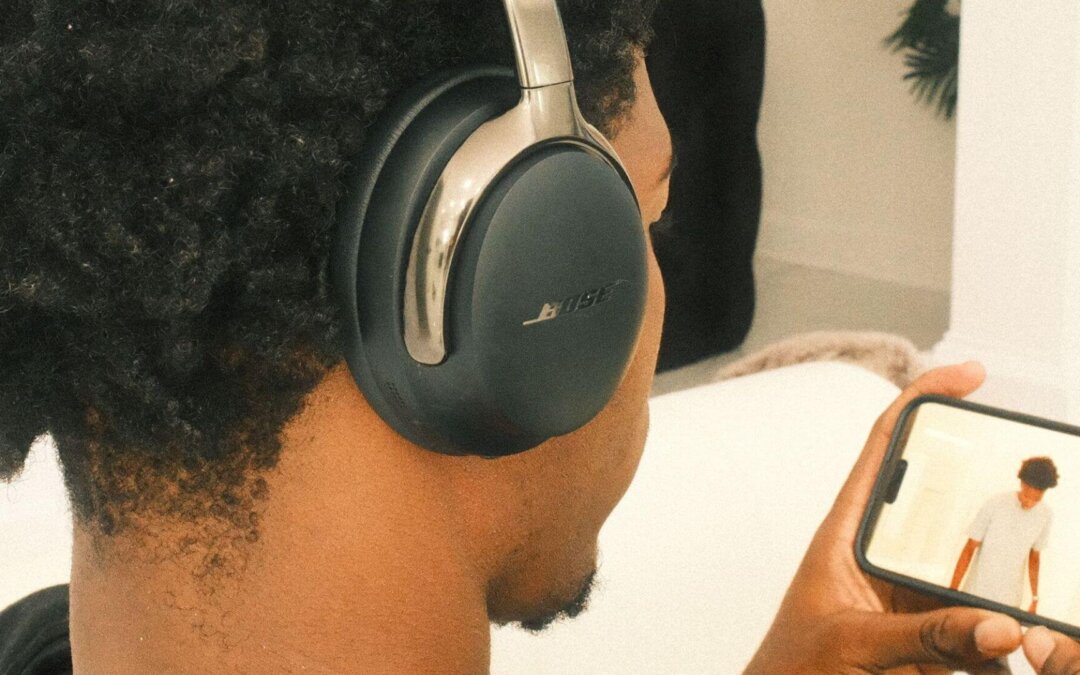
If you’ve ever watched a movie on headphones and wished it felt more like watching in a real theater, you’re not alone. Movies today are full of immersive sound effects — deep rumbles, hushed whispers, shifting footsteps — but standard headphone listening flattens everything into left and right audio.
Bose Cinema Mode was created to change that.
It transforms the way you watch movies on your Bose headphones by giving you a more spacious, more realistic, more theater-like experience — all without a full surround sound system.
This guide explains what Bose Cinema Mode is, how it works, why it makes movies more immersive, and how to enable it on compatible Bose devices, so you get the best possible audio every time you watch.
What Is Bose Cinema Mode?
Instead of simple left-and-right audio, Cinema Mode uses advanced processing to:
- Expand the soundstage so audio feels wider
- Add a sense of depth and distance
- Position audio outside your head, like speakers in a room
- Preserve soundtrack clarity and impact
- Keep dialogue crisp and centered
- Make sound effects more directional
It’s designed to give you the feeling that movie audio is happening around you, not inside your ears.
Bose Products That Support Cinema Mode
According to Bose’s official product story, the first devices to support Cinema Mode are these:
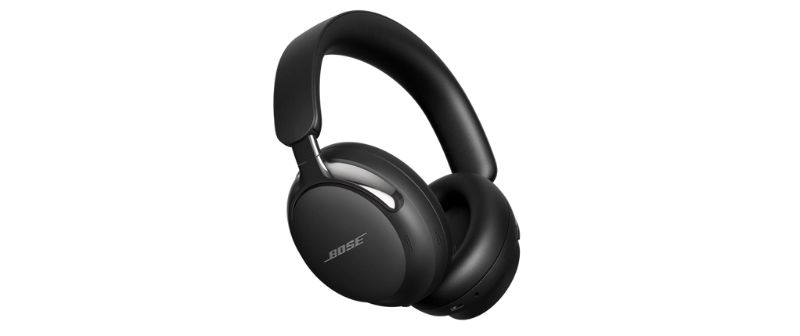
Premium over-ear headphones designed for immersive listening. They feature Bose Immersive Audio, adjustable noise cancellation, improved call clarity, and a spacious theater-like sound experience when Cinema Mode is enabled.
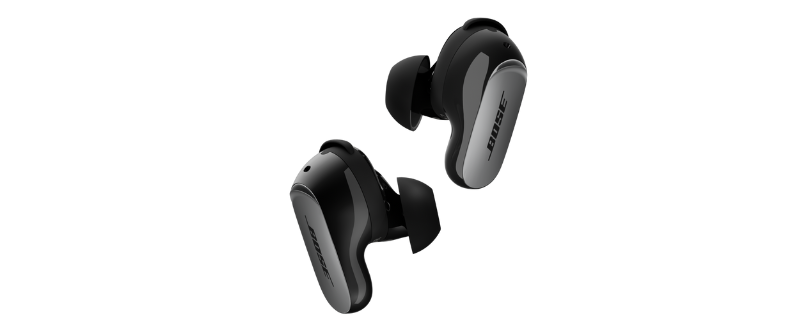
High-performance earbuds built for rich, detailed sound with adjustable noise cancellation and Bose Immersive Audio. Cinema Mode enhances movie audio by expanding the soundstage for a more realistic viewing experience.
How Bose Cinema Mode Works
Cinema Mode uses a combination of digital signal processing, acoustic modeling, and precise tuning to mimic the sensation of listening to a home theater system — except through headphones.
Here’s a breakdown of what’s happening behind the scenes:
Spatial Audio Simulation
Cinema Mode analyses the movie soundtrack and recreates a virtual soundstage that feels larger than the headphones themselves.
You’ll notice:
- Voices anchored to the screen
- Music swelling around you
- Sound effects moving with more direction
Enhanced Surround Cues
Instead of collapsing surround sound into stereo, Cinema Mode attempts to preserve spatial cues so action scenes feel more energetic and alive.
Depth & Distance Processing
Some sounds feel close, others feel far — giving the audio a more cinematic sense of space, instead of sounding flat.
Dialogue Optimization
Cinema Mode keeps dialogue crisp, centered, and easy to understand, even during loud or complex scenes.
Tuned for Long Listening
The audio profile is crafted to reduce fatigue so you can enjoy entire movies without discomfort.
How to Enable Bose Cinema Mode
Cinema Mode settings vary depending on your Bose headphones, but the general process looks like this:
1. Open the Bose Music App
Download and install the Bose Music App (iOS or Android) if you haven’t already.
2. Select Your Headphones
Tap on the Bose device you’re currently using.
3. Look for Listening Modes
Navigate to the Modes or Audio section in the app.
4. Choose Cinema Mode
Toggle or select Cinema Mode from the list of available modes.
5. Start Watching Your Movie
Cinema Mode automatically activates once you start streaming audio from your device.
When Should You Use Cinema Mode?
Cinema Mode shines in specific scenarios:
✓ Watching Movies on Netflix, Prime Video, Disney+, or HBO
Blockbusters and dramas benefit most from expanded sound and clearer dialogue.
✓ Streaming on a Laptop or Tablet
Cinema Mode gives portable screens a true home-theater feel.
✓ Late-Night Movie Watching
Enjoy big sound without waking the rest of the house.
✓ Travel or On-the-Go Viewing
Perfect for flights, buses, and long trips where you want immersion.
Does Cinema Mode Work for Music or Gaming?
Cinema Mode is designed specifically for movies and cinematic content.
For music:
- It may sound wider or more atmospheric
- But you’ll get more accurate sound using the headphone’s default or music mode
For gaming:
- Some players enjoy the wide soundstage
- But directional cues may be less precise than a dedicated game mode (depending on the model)
Frequently Asked Questions
How do I know if Cinema Mode is turned on?
Open the Bose Music App, select your device, and check the Modes section. If Cinema Mode is active, it will show as the current listening mode. Some models also play a brief confirmation tone when switching modes.
Why doesn’t Cinema Mode appear in my Bose Music App?
Cinema Mode only works on supported devices like the QuietComfort Ultra Headphones (2nd Gen) and QuietComfort Ultra Earbuds (2nd Gen).
If you don’t see it:
- Update your Bose device firmware
- Update the Bose Music App
- Restart your headphones and your phone
- Reconnect your headphones to the app
Does Cinema Mode improve dialogue clarity?
Yes. Cinema Mode widens the soundstage while keeping dialogue centered and easy to understand. This helps voices stand out even during loud action scenes or busy background soundtracks.
Does Cinema Mode work during calls or online meetings?
No. Cinema Mode only affects media playback. It automatically turns off during phone calls, video meetings, or voice chats to maintain natural and clear voice quality.
Do I need Wi-Fi or internet for Cinema Mode to work?
No. Once you enable Cinema Mode through the Bose Music App, it continues working even without internet access. All processing happens directly inside the headphones.
Shop for Bose Headphones & Earbuds at Eleksis Marketing Corporation
For 100% original and authentic Bose products, shop confidently with Eleksis Marketing Corporation, the official Bose distributor in the Philippines. Whether you’re looking for premium headphones, immersive earbuds, or high-performance speakers, you’ll find the latest Bose models backed by:
- Free nationwide shipping
- Official Bose warranty
- Reliable customer and after-sales support
- Guaranteed authentic products sourced directly from Bose
Experience cinematic sound anywhere you go — explore the full collection today at eleksis.com.
Other Related Sources: