


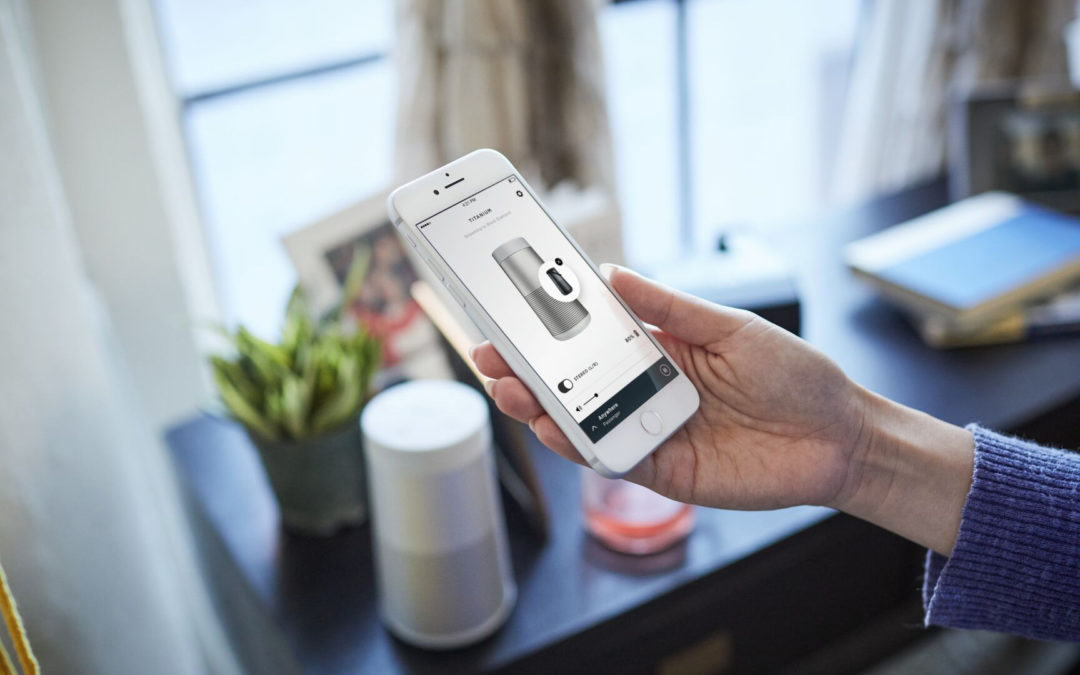
Bluetooth speakers have become a must-have for enjoying music, podcasts, and movies anywhere without the hassle of wires. But if you’ve just bought one—or you’re not so tech-savvy—you might be wondering: how do I actually use Bluetooth speakers the right way?
Good news: it’s much easier than you think. In this guide, we’ll walk you through how to use Bluetooth speakers, how to connect 2 Bluetooth speakers together, and even how to connect multiple Bluetooth speakers for a richer sound experience.
We’ll also highlight Bose Bluetooth speakers, some of the best in the Philippines, so you know which models make setup as easy as possible.
How to Use Bluetooth Speakers
Using a Bluetooth speaker is simple, but there are a few key steps to follow for different types of speakers:
- Charge your speaker first.
Most Bluetooth speakers, like the Bose SoundLink Flex Portable Speaker (2nd Gen), come with a rechargeable battery. A full charge ensures you don’t lose power while listening. - Turn on the speaker.
Every Bluetooth speaker has a power button—hold it until you see a light blink. This usually means it’s ready to pair. - Enable Bluetooth on your device.
On your smartphone, tablet, or laptop, go to the Bluetooth settings and turn it on. - Pair your device.
Look for the name of your speaker (for example, “Bose SoundLink Flex”) and tap to connect. Once connected, you’ll hear a sound or see a light to confirm. - Play your audio.
Open your favorite app—Spotify, YouTube, Netflix—and the sound should now come from your speaker instead of your device.
👉 Pro Tip: If the sound isn’t coming through, try disconnecting and reconnecting, or move closer to the speaker for better connection stability.
How to Connect 2 Bluetooth Speakers
Sometimes one speaker isn’t enough—you want more volume or stereo sound. Many modern Bluetooth speakers (including Bose) let you connect two speakers together. Here’s how:
- Pair your first speaker to your device.
Follow the same steps above to connect your first Bose speaker. - Activate “Party Mode” or “Stereo Mode.”
Bose Bluetooth speakers like the SoundLink Revolve+ II let you use the Bose Connect app. - Party Mode: Both speakers play the same sound for bigger coverage (great for parties).
- Stereo Mode: One speaker becomes the left channel, the other the right channel, giving you richer sound separation.
- Connect the second speaker.
Follow the app instructions or hold down the Bluetooth button on both speakers until they link.
👉 Pro Tip: Keep both speakers within 30 feet of each other for the most stable connection.
How to Connect Multiple Bluetooth Speakers
Want sound in every corner of your house? Bose makes this possible too. Here’s how to connect multiple Bluetooth speakers:
- Download the Bose Music or Bose Connect app.
Depending on your model, you’ll use one of these apps to control multiple speakers at once. - Set up each speaker.
Add your Bose SoundLink or Bose Portable Smart Speaker to the app. - Create a group.
Inside the app, you can link speakers together and choose whether they play in sync (perfect for multi-room setups). - Stream your audio.
Now you can play music from your phone and hear it across different speakers—whether you’re in the living room, kitchen, or outdoors.
👉 Pro Tip: If you plan to connect multiple speakers often, consider the Bose Portable Smart Speaker, which supports both Bluetooth and Wi-Fi for even smoother multi-room audio.
Our Recommended Speakers
If you’re learning how to use Bluetooth speakers, you’ll want to start with reliable, easy-to-use options. Bose makes some of the best Bluetooth speakers in the Philippines—combining simple connectivity with powerful sound. Here are our top picks available at Eleksis Marketing Corporation:
Recommended Bluetooth Speakers
🔊 Bose SoundLink Flex Portable Speaker (2nd Gen)
- Rugged build and waterproof design for travel or outdoor adventures
- Clear, balanced sound with punchy bass
- Up to 12 hours of playtime per charge
🔊 Bose SoundLink Max Portable Speaker
- Bose’s most powerful portable speaker in the lineup
- Big, bold sound with thumping bass for parties or gatherings
- Long-lasting battery with durable, outdoor-ready design
🔊 SoundLink Revolve+ II Bluetooth® Speaker
- 360° coverage so everyone hears the same sound
- Deeper, louder output than the smaller Revolve
- Up to 17 hours of battery life with a built-in carrying handle
🔊 SoundLink Micro Bluetooth® Speaker
- Ultra-portable, pocket-sized design
- Waterproof and rugged—perfect for outdoor use
- Surprisingly powerful bass for its size\
Recommended Wireless Home Speakers
🔊 Bose SoundLink Home Bluetooth Speaker
- Rich, room-filling sound designed for indoor spaces
- Sleek design that blends with modern interiors
- Reliable Bluetooth connection for quick pairing
🔊 Bose Portable Smart Speaker
- Combines Bluetooth and Wi-Fi for flexible use
- Deep bass and crisp clarity for music, podcasts, or movies
- Rechargeable battery for on-the-go listening
Why Choose Bose Bluetooth Speakers?
Not all Bluetooth speakers are created equal. Many cheaper models may have unstable connections, weak bass, or short battery life. Bose Bluetooth speakers stand out because of their:
- Crystal clear audio: Balanced highs, mids, and bass.
- Strong Bluetooth connection stability.
- Durable designs: Many are waterproof and portable.
- Expandable setups: You can link two or more together for a surround-like experience.
FAQ: Bluetooth Speakers Made Simple
How do I connect a Bluetooth speaker to my TV?
If your TV has Bluetooth, just pair it the same way as a phone. If not, you may need a Bluetooth adapter.
Can I use Bluetooth speakers without Wi-Fi?
Yes—Bluetooth works independently from Wi-Fi. Just pair your device directly.
How far can I be from my speaker?
Most Bluetooth speakers work best within 30 feet (10 meters). Walls or interference may shorten this.
Why does my Bluetooth connection drop sometimes?
This can happen if there’s interference (like Wi-Fi signals) or if the battery is low. Staying close and keeping your speaker charged helps.
Can I connect Bose Bluetooth speakers to non-Bose devices?
Yes—any phone, tablet, or laptop with Bluetooth can pair with Bose speakers.
Get Your Speakers Set Up Today!
If you’ve ever wondered how to use Bluetooth speakers or struggled with setup, now you know it’s just a matter of turning on, pairing, and playing. With Bose, you also get the option to connect two Bluetooth speakers or even multiple Bluetooth speakers for a full home or party setup.
So, whether you’re streaming music, watching movies, or simply upgrading from tiny TV speakers, a Bose Bluetooth speaker makes it all simple and enjoyable. Get yours today eleksis.com!
Other Resources: